
What Is a Digital Signage Media Player?
A digital signage media player is a small but powerful device that powers digital signage displays by delivering and controlling multimedia content on screens. It acts as the bridge between the display and the content management system (CMS), ensuring that videos, images, menus, advertisements, and announcements appear correctly on digital signage boards. Businesses across industries—including retail, hospitality, healthcare, transportation, and corporate offices—use digital signage media players to manage content efficiently. This article explains what a digital signage media player is, how it works, its key features, benefits, and what to consider when choosing one.
1. Components of Digital Signage Media Players
A digital signage media player is the hardware component responsible for storing, processing, and playing digital content on a display screen. It connects to a digital signage display such as an LCD screen, LED panel, or video wall and ensures that multimedia content is delivered smoothly.
The device usually works together with digital signage software that allows users to upload and schedule content remotely. Once content is sent to the media player, the device processes the files and displays them on the screen according to the programmed schedule.
Typical components of a digital signage system include:
Display Screen: The monitor or LED display showing the content
Media Player: The device that plays and controls the content
Content Management System (CMS): Software used to upload, manage, and schedule content
Together, these elements form the complete digital signage ecosystem.
2. How a Digital Signage Media Player Works?
Digital signage media players operate by receiving multimedia files from a content management system and transmitting them to the display device. This process allows businesses to manage multiple screens from a centralized platform.
The typical workflow includes:
Content is created or uploaded through the CMS.
The media player downloads or receives the content via internet or local network.
The media player stores and processes the files.
The display shows the content based on the scheduled timeline.
Many media players support both online and offline playback, ensuring content continues to display even if the network connection is temporarily unavailable.
3.Features of Digital Signage Media Players
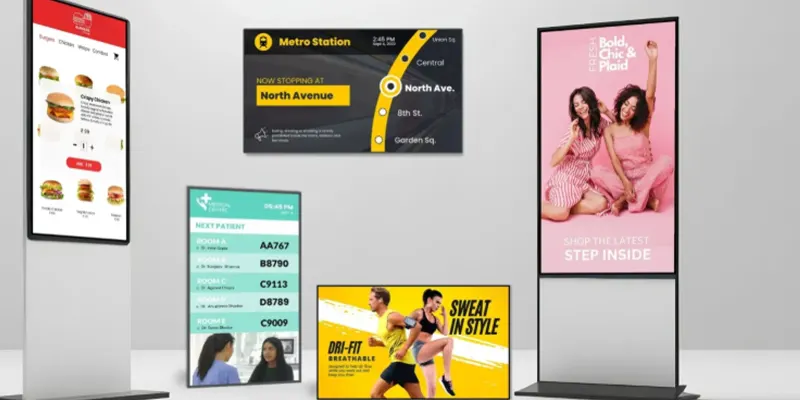
Digital signage media players come with several features that make them reliable and effective for professional display environments.
High-Performance Multimedia Playback
Media players support a wide range of content formats, including:
HD and 4K videos
Images and slideshows
HTML content
Live data feeds and dashboards
This flexibility allows businesses to create visually engaging and dynamic displays.
Remote Content Control
Through cloud-based management systems, users can control media players remotely. This means administrators can update screens across multiple locations without physically visiting each site.
Scheduling and Automation
Content can be programmed to play at specific times, days, or events. For example, a restaurant can display breakfast menus in the morning and dinner promotions in the evening automatically.
Compact and Energy-Efficient Design
Most digital signage media players are compact devices that can be easily mounted behind screens or inside display enclosures. They consume minimal power while delivering strong processing performance.
4. Types of Digital Signage Media Players
There are several types of media players used in digital signage systems, each suited for different applications.
Standalone Media Players
These dedicated hardware devices are designed specifically for digital signage. They provide reliable performance and are widely used in commercial environments.
System-on-Chip (SoC) Players
Some modern displays include built-in media players directly inside the screen hardware. This eliminates the need for external devices and simplifies installation.
PC-Based Media Players
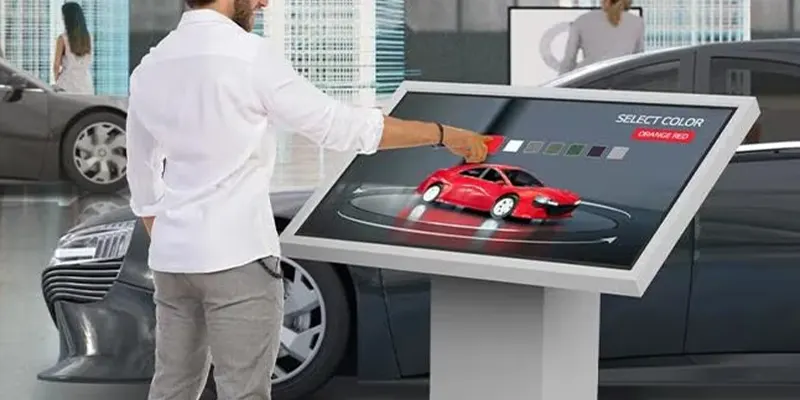
These systems function like small computers and offer high performance for complex content, such as interactive displays or large video walls.
Cloud-Based Streaming Players
These players rely heavily on internet connectivity to stream content directly from cloud servers, making content updates extremely fast and scalable.
5. How to Choose the Right Digital Signage Media Player?
Selecting the right media player depends on several factors related to the project requirements.
Important considerations include:
Performance Capability: Ensure the player supports the resolution and video formats needed.
Connectivity Options: Look for Wi-Fi, Ethernet, and USB connectivity for flexible deployment.
Compatibility: The player should integrate smoothly with your digital signage CMS.
Scalability: Choose a system that can support future expansion.
Reliability: Commercial-grade hardware ensures stable 24/7 operation.
Carefully evaluating these factors helps ensure long-term performance and efficiency.
6. Summary
A digital signage media player is a critical component of any digital signage system. It controls the delivery of multimedia content to displays and enables businesses to manage their communication networks efficiently. With powerful playback capabilities, remote management features, and scalable deployment options, digital signage media players help organizations deliver engaging content to audiences in real time.
If you are planning to implement digital signage or want to learn more about selecting the right media player for your project, please contact us anytime. Our team can help you choose the most suitable solution for your business needs.
FAQ
1. What does a digital signage media player do?
It stores, processes, and plays digital content on a display screen as part of a digital signage system.
2. Do all digital signage systems require a media player?
Most systems do, although some modern displays include built-in media players.
3. Can a media player run without internet access?
Yes. Many media players support offline playback after content has been downloaded.
4. What content formats do digital signage media players support?
They usually support videos, images, HTML content, and live data feeds.
5. How many screens can one media player control?
Depending on the hardware, a media player may control one or multiple screens simultaneously.