
How Do Self-Service Kiosks Work?
As businesses continue to embrace digital transformation, Self-Service Kiosks have become a common sight in restaurants, shopping malls, airports, hospitals, and retail stores. These interactive machines allow customers to complete transactions, access information, and place orders without direct assistance from staff. But how exactly do self-service kiosks work, and why are they becoming so popular?
What Is a Self-Service Kiosk?
A self-service kiosk is a touchscreen-based digital terminal that enables users to perform specific tasks independently. Depending on the industry, kiosks can be used for ordering food, checking in for flights, paying bills, purchasing tickets, registering visitors, or accessing wayfinding information.
Modern kiosks combine hardware and software to deliver a seamless user experience while reducing operational costs for businesses.
Key Components of a Self-Service Kiosk
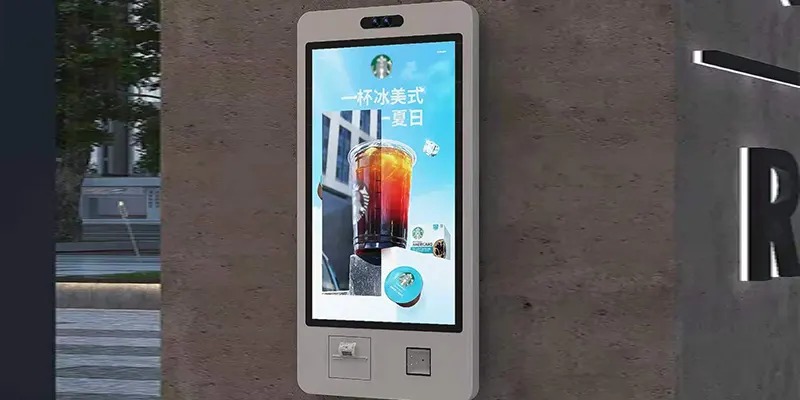
A typical self-service kiosk includes several essential components:
1. Touchscreen Display
The touchscreen serves as the primary interface, allowing users to navigate menus, select options, and complete transactions easily.
2. Computer System
An integrated computer processes user inputs, runs kiosk software, and communicates with connected systems such as payment gateways or inventory databases.
3. Payment Module
Many kiosks include card readers, contactless payment terminals, QR code scanners, or mobile payment support for secure transactions.
4. Printer
Some kiosks feature printers for receipts, tickets, boarding passes, or order confirmations.
5. Barcode and QR Code Scanner
These scanners help users redeem coupons, scan tickets, check product information, or complete authentication processes.
6. Network Connectivity
Kiosks connect to the internet or local business networks to access real-time data, process payments, and synchronize information.
How Does a Self-Service Kiosk Work?
The operation of a self-service kiosk typically follows a simple process:
Step 1: User Interaction
Customers approach the kiosk and interact with the touchscreen interface. The system presents clear instructions and menu options.
Step 2: Selection Process
Users choose products, services, or information they need. For example, a restaurant kiosk displays menu items, while an airport kiosk offers check-in options.
Step 3: Data Processing
The kiosk software processes the user's selections and communicates with backend systems such as inventory management, customer databases, or booking platforms.
Step 4: Payment and Verification
If a transaction is required, customers can pay using credit cards, mobile wallets, or contactless payment methods. The payment system securely verifies the transaction.
Step 5: Confirmation and Output
After processing, the kiosk generates a confirmation message. Depending on the application, it may print a receipt, issue a ticket, send a digital confirmation, or notify staff of a new order.
Benefits of Self-Service Kiosks
Businesses across industries are adopting kiosks because they offer several advantages:
Faster customer service and shorter wait times
Reduced labor costs
Improved order accuracy
Increased sales through upselling opportunities
Enhanced customer satisfaction
24/7 service availability in certain environments
Valuable data collection and analytics
Industries Using Self-Service Kiosks
Retail
Retail stores use kiosks for product searches, self-checkout, and customer information services.
Restaurants
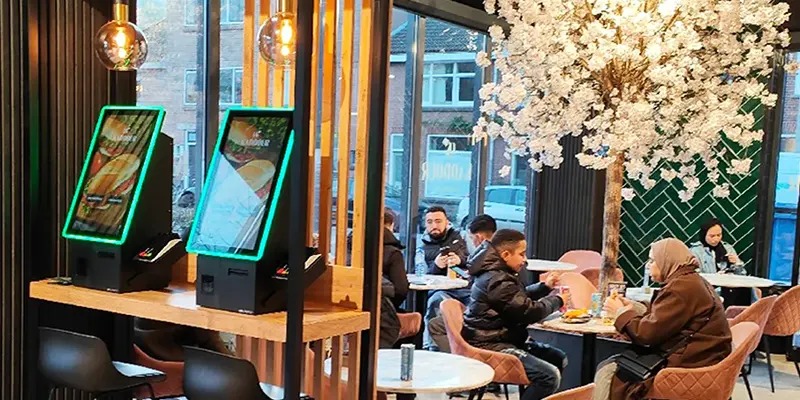
Quick-service restaurants use self-ordering kiosks to streamline ordering and improve customer experience.
Healthcare
Hospitals and clinics use kiosks for patient registration, appointment scheduling, and wayfinding.
Transportation
Airports, train stations, and bus terminals rely on kiosks for ticketing and passenger check-in.
Hospitality
Hotels use self-service kiosks for guest check-in, room key distribution, and concierge services.
Future Trends
The future of self-service kiosks is closely linked to artificial intelligence, facial recognition, cloud management, and contactless technology. Businesses are increasingly deploying smart kiosks that provide personalized recommendations, multilingual support, and real-time analytics.
As customer expectations continue to evolve, self-service kiosks will play an even greater role in delivering efficient, convenient, and engaging experiences.
Conclusion
Self-service kiosks work by combining touchscreen interfaces, intelligent software, secure payment systems, and network connectivity to automate customer interactions. From ordering meals to checking into flights, these versatile solutions help businesses improve efficiency while providing customers with faster and more convenient service. As technology advances, self-service kiosks are expected to become an essential part of modern customer service strategies across numerous industries.
FAQ
1. What is the main purpose of a self-service kiosk?
The primary purpose is to allow customers to complete tasks independently, reducing wait times and improving operational efficiency.
2. Are self-service kiosks secure?
Yes. Most modern kiosks use encrypted payment processing and secure network connections to protect user data.
3. Can self-service kiosks accept mobile payments?
Yes. Many kiosks support contactless payments, QR codes, and mobile wallets such as Apple Pay and Google Pay.
4. Which industries benefit most from self-service kiosks?
Retail, restaurants, healthcare, transportation, hospitality, banking, and government services all benefit significantly.
5. Do self-service kiosks reduce labor costs?
Yes. By automating routine tasks, kiosks allow staff to focus on customer support and higher-value activities.
6. What technologies will shape future kiosk development?
Artificial intelligence, cloud management, biometric authentication, facial recognition, and advanced analytics are expected to drive future innovation.