
How Does the Interactive Whiteboard Work?
Interactive whiteboards have reshaped how people share ideas, explain concepts, and collaborate in real time. Instead of passively viewing information, users can physically interact with digital content, turning presentations and lessons into engaging experiences. This shift from static to interactive communication is one of the main reasons interactive whiteboards are now common in schools, offices, and training centers worldwide.
What makes them especially powerful is their ability to combine multiple tools into one surface—display, computer, collaboration platform, and annotation space. This all-in-one functionality simplifies workflows and reduces the need for additional hardware.
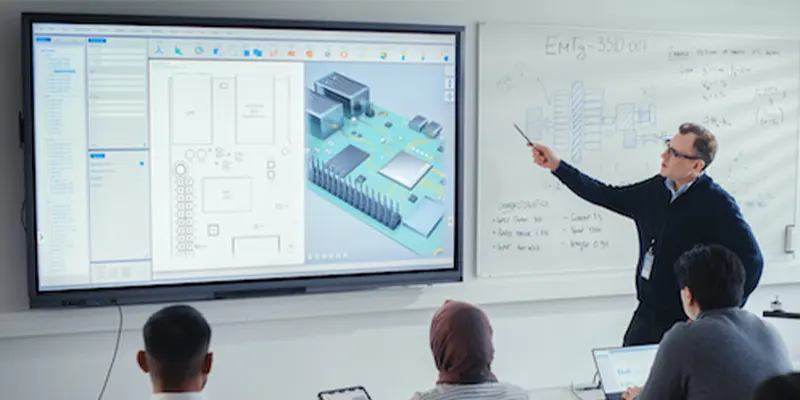
Core Components of an Interactive Whiteboard
Touch-Sensitive Display Surface
The display surface is the heart of an interactive whiteboard. It detects user input through technologies such as infrared, capacitive, or electromagnetic systems. High-quality surfaces provide smooth, responsive interaction, supporting multiple simultaneous touches and offering palm rejection to prevent accidental input.
Display Technology and Screen Quality
The visual display ensures clarity, brightness, and accuracy. High-resolution LCD or LED screens provide sharp text, vibrant colors, and wide viewing angles. Anti-glare and scratch-resistant surfaces improve visibility and durability, making the board suitable for classrooms and corporate settings with heavy daily use.
Built-In vs External Computing Systems
Some interactive whiteboards rely on external computers, while others have embedded operating systems. Built-in systems allow users to run apps, access files, and connect to the internet without additional devices. External systems may offer more processing power but require additional setup and connections.
Input Tools and Accessories
Boards come with styluses, erasers, and sometimes remote controls or wireless pens. Some models also support gesture recognition, allowing users to control content without touching the screen. These input tools enhance usability, precision, and user comfort during extended sessions.
How Interactive Whiteboards Work?
Detecting User Interaction
Sensors embedded in the board detect touch or pen input. The board identifies the precise location, movement, and duration of each touch, translating physical interaction into digital signals for the processor to interpret.
Processing Touch and Gesture Data
The processor receives raw sensor data and converts it into commands. Whether the user is writing, dragging, zooming, or performing gestures, the software interprets the input and triggers the corresponding action.
Real-Time System Response
Modern interactive whiteboards are designed for near-zero latency. Actions appear instantaneously on the screen, giving the illusion of natural writing and manipulation similar to pen-on-paper interaction.
Multi-Touch and Multi-User Interaction
Most boards support multiple simultaneous touch points, allowing several users to interact with content at once. This feature is critical for collaborative learning and teamwork exercises, where participants can write, move objects, and annotate together.
Accuracy and Latency Considerations
The quality of sensors, processing power, and software optimization determines touch accuracy and latency. High-quality boards minimize input lag and ensure precise detection, even for detailed writing or drawing tasks.
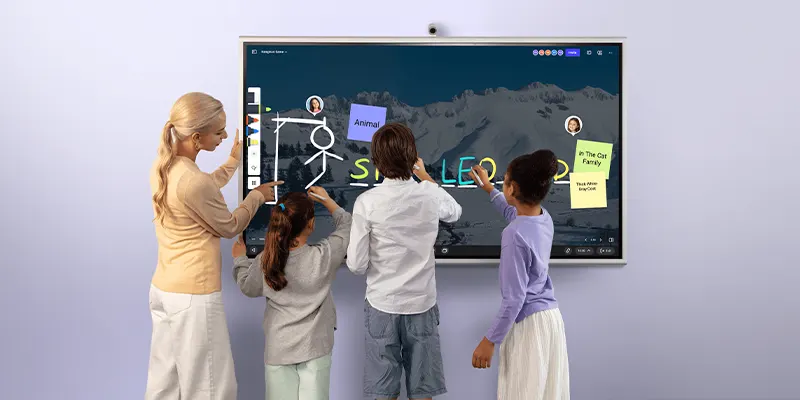
How Interactive Whiteboards Are Used in Classrooms?
Teacher-Centered Instruction
Interactive whiteboards allow teachers to present lessons in a more engaging and visual way. Instead of relying solely on lectures, educators can display slides, videos, interactive diagrams, and real-time annotations. This makes complex topics easier to understand and keeps students focused throughout the session. Teachers can also quickly highlight key concepts or annotate on the fly, adapting the lesson based on students’ responses.
Student Participation and Interaction
Students can actively participate by writing answers, drawing diagrams, or manipulating objects directly on the board. This hands-on interaction encourages engagement and critical thinking. Multi-touch capabilities allow multiple students to collaborate at the same time, turning lessons into interactive group activities rather than passive observation.
Visual and Multimedia Learning
Interactive whiteboards integrate text, images, animations, and videos into the lesson plan. This supports different learning styles, including visual and auditory learners. Teachers can play educational videos, demonstrate science experiments, or use animations to explain abstract concepts, making learning more concrete and memorable.
Assessment and Quizzes
Interactive whiteboards allow for real-time formative assessment. Teachers can conduct polls, quizzes, and interactive exercises directly on the board. Responses can be tracked instantly, giving immediate feedback to both students and teachers. This not only improves learning outcomes but also helps educators identify areas where students may need additional support.
Hybrid and Remote Learning Support
With cloud integration and screen-sharing capabilities, interactive whiteboards extend classroom learning to remote students. Lessons can be streamed live, and remote participants can annotate, answer questions, and interact with content just like students physically present. This makes hybrid classrooms more effective and ensures continuity in education regardless of location.
Benefits of Using an Interactive Whiteboard
Interactive whiteboards offer a wide range of advantages that go far beyond the capabilities of traditional whiteboards. They transform learning, presentations, and collaboration into dynamic, engaging experiences that improve comprehension, productivity, and communication. Below, we explore these benefits in detail.
Enhanced Engagement and Interaction
One of the most significant benefits of interactive whiteboards is their ability to capture attention. Teachers, presenters, and facilitators can involve students or team members directly, encouraging participation rather than passive observation. Users can write, draw, move objects, and manipulate multimedia content, which increases interaction and keeps the audience actively involved. This hands-on approach has been shown to improve retention and understanding, making lessons and meetings more effective.
Improved Knowledge Retention
Visual learning is proven to enhance memory retention, and interactive whiteboards excel in this area. By combining text, images, charts, videos, and interactive tools, they cater to multiple learning styles at once. Students and employees can see, hear, and engage with content simultaneously. Features like annotation, highlighting, and interactive quizzes help reinforce key concepts, making information easier to remember compared to traditional note-taking.
Time-Saving Digital Workflows
Interactive whiteboards reduce time wasted on repetitive tasks such as copying notes, rewriting diagrams, or distributing materials. Sessions can be recorded, saved, and shared instantly, allowing students or team members to review content later. Teachers and presenters can also prepare lesson templates, use reusable digital resources, and quickly integrate external files. This efficiency saves preparation time and allows for more productive use of class or meeting time.
Conclusion
Interactive whiteboards have revolutionized the way we teach, learn, and collaborate. By combining touch-sensitive surfaces, advanced display technology, intuitive software, and seamless connectivity, they transform traditional static presentations into dynamic, interactive experiences. Whether in classrooms, boardrooms, or remote learning environments, interactive whiteboards enhance engagement, improve knowledge retention, and foster collaboration.
Their versatility allows for multimedia integration, real-time annotation, and cloud-based file sharing, making them far more powerful than traditional whiteboards. While there are initial costs and a slight learning curve, the long-term benefits—including increased productivity, more engaging sessions, and better collaboration—far outweigh these challenges.
As technology continues to evolve, features like AI-powered handwriting recognition, gesture-based interaction, and touchless controls are set to make interactive whiteboards smarter, more intuitive, and essential for both modern education and business.
FAQs
1. Do interactive whiteboards require an external computer?
Not always. Many modern boards come with built-in operating systems, allowing them to run apps, access the internet, and store files independently. Some boards still rely on external computers for advanced processing.
2. Can multiple people use an interactive whiteboard at the same time?
Yes. Most interactive whiteboards support multi-touch technology, allowing several users to write, draw, or manipulate objects simultaneously. This feature is ideal for group work and collaborative sessions.
3. Are interactive whiteboards difficult to learn and use?
No. Interactive whiteboards are designed with user-friendly interfaces. Teachers, students, and professionals can typically learn the basic functions within a few sessions. Advanced features may require minimal training.
4. Can interactive whiteboards be used for remote learning or meetings?
Absolutely. Many boards integrate with video conferencing software and cloud-based collaboration tools, allowing users to participate in real-time from anywhere. Remote users can annotate, interact, and contribute just like in-person participants.
5. How long do interactive whiteboards typically last?
With proper care and regular maintenance, an interactive whiteboard can last 7–10 years or more. Longevity depends on the quality of the hardware, usage intensity, and software support.