
How to Create a Touch Screen Solution with Interactive Digital Signage?
Interactive digital signage is the evolution of traditional digital displays. Instead of passively showing content, these systems invite users to touch, swipe, explore, and engage. Think of it like turning a billboard into a conversation rather than a monologue.
In a world where smartphones dominate daily life, people naturally expect screens to respond to touch. Touch screen digital signage meets this expectation, boosting engagement, improving information delivery, and creating memorable brand experiences
Types of Touch Screen Technologies
Capacitive Touch Screens
Capacitive screens are the most common today. They’re responsive, durable, and support multi-touch gestures. You’ll find them in malls, retail stores, and interactive digital signage where smooth interaction is essential.
Resistive Touch Screens
Resistive screens work with pressure, not skin contact. They’re less sensitive but perform well in industrial or outdoor environments where gloves or styluses are used.
Infrared and Optical Touch Screens
These screens use light beams or cameras to detect touch. They’re perfect for large-format displays like video walls and public information boards.
Defining Your Interactive Digital Signage Goals
Identifying Business Objectives
Clearly define what you want your interactive digital signage to achieve, such as boosting sales, improving customer experience, or sharing information. Well-defined goals guide content design, interaction depth, and technology choices, ensuring the solution delivers real business value rather than just visual impact.
Knowing Your Target Audience
Understanding who will use the touch screen is critical. Consider age, digital habits, language needs, and user behavior. Designing content and navigation around audience expectations makes interactions more intuitive and increases engagement and satisfaction.
Selecting the Ideal Location
The placement of interactive digital signage influences how people interact with it. High-traffic areas require quick, simple interactions, while quieter spaces allow deeper exploration. Evaluating visibility, lighting, and accessibility helps maximize effectiveness and user participation.
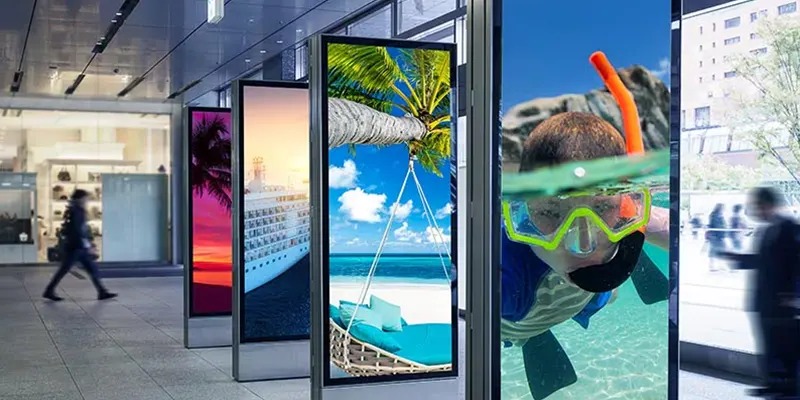
Hardware Components of a Touch Screen Solution
A reliable touch screen solution depends heavily on the quality and compatibility of its hardware components. Choosing the right hardware ensures smooth interaction, long-term durability, and stable system performance in real-world environments.
Touch Screen Displays
Touch screen displays are the core of any interactive digital signage system. Commercial-grade displays are designed for continuous operation, offering high brightness, strong contrast, and durable glass to withstand frequent use. Screen size and resolution should match viewing distance and content complexity to ensure clear visuals and accurate touch response.
Media Players and Controllers
Media players power the interactive content and applications displayed on the screen. They must have sufficient processing power, memory, and storage to handle animations, videos, and real-time interactions without delays. Reliable controllers ensure seamless communication between the touch display and software, providing a smooth and responsive user experience.
Mounts, Kiosks, and Enclosures
Proper mounting solutions and enclosures protect the hardware and enhance usability. Wall mounts, floor-standing kiosks, or custom enclosures should be selected based on location and user interaction style. Sturdy designs improve safety, reduce vandalism risks, and help position screens at ergonomic heights for comfortable use.
Creating Engaging Interactive Content
Engaging interactive content is what transforms a touch screen display from a simple information tool into a meaningful user experience. Well-designed content encourages exploration, holds attention, and guides users toward specific actions.
Types of Interactive Content
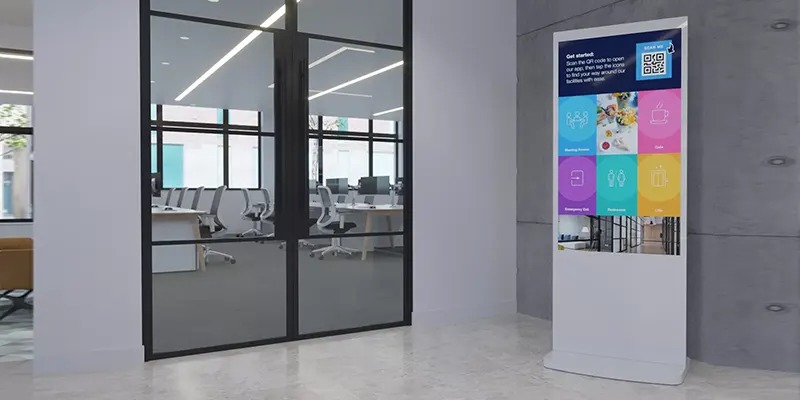
Interactive digital signage can include product catalogs, wayfinding maps, self-service menus, quizzes, surveys, and promotional games. The most effective content is task-oriented, allowing users to quickly find information or complete actions while keeping interactions intuitive and purposeful.
Visual Design and Branding
Strong visual design enhances usability and brand recognition. Consistent colors, typography, icons, and layouts create a cohesive experience that reflects brand identity. Clean visuals, high-contrast elements, and readable text ensure content remains clear and appealing, even in busy or brightly lit environments.
Storytelling Through Interaction
Interactive content should guide users through a logical journey. Each touch can reveal new information, features, or benefits, creating a sense of discovery. By structuring content like a story, users stay engaged longer and are more likely to remember the message and take action.
Conclusion
Creating a touch screen solution with interactive digital signage isn’t just about installing a screen—it’s about crafting an experience. With the right strategy, technology, and design, interactive signage transforms passive viewers into active participants, driving engagement, insight, and results.
Frequently Asked Questions (FAQs)
1. How much does it cost to create interactive digital signage?
Costs vary based on screen size, software, and customization, ranging from affordable setups to enterprise solutions.
2. Is interactive digital signage difficult to maintain?
Not at all. With a good CMS and monitoring tools, maintenance is straightforward and efficient.
3. Can interactive signage work without internet?
Yes, most systems support offline operation with local content storage.
4. What industries benefit most from touch screen signage?
Retail, hospitality, healthcare, education, and transportation see strong results.
5. How long does it take to deploy a touch screen solution?
Simple projects take weeks, while complex custom systems may take a few months