
What Do I need to Know to Start with Digital Singage
Digital signage has become one of the most powerful tools in modern marketing and communication strategies. Whether you're a small business owner looking to enhance your in-store experience, a corporate manager seeking better internal communication, or an entrepreneur exploring a new venture, understanding digital signage is essential in today's visually-driven world. But what do you actually need to know before you start? This comprehensive guide covers everything from the fundamentals of digital signage technology to implementation strategies, content creation best practices, and how to choose the right hardware and software for your specific needs. By the end of this article, you'll have a clear roadmap for launching your digital signage project with confidence.
1. Understanding the Basics: What Is Digital Signage and How Does It Work?
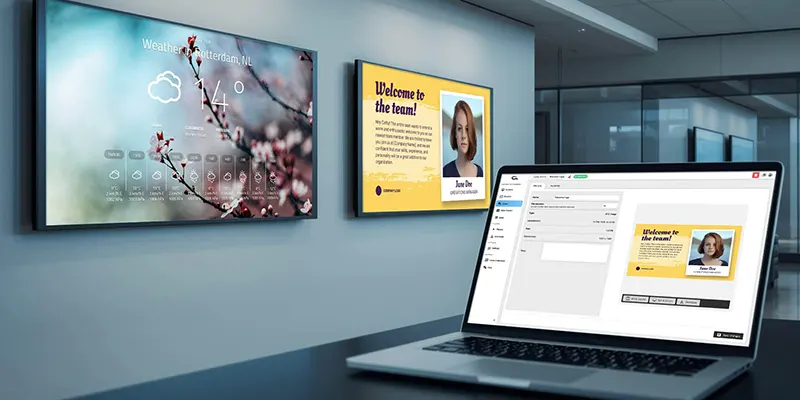
Digital signage is a specialized form of electronic display that presents content such as images, videos, web pages, weather updates, and more to a targeted audience. At its core, a digital signage system consists of three main components: the hardware (displays, media players, and mounting equipment), the software (content management system), and the content itself. The hardware captures attention with vibrant, high-resolution screens, while the software enables you to schedule, manage, and update your content remotely from a central platform. The content is what ultimately engages your audience and communicates your message effectively.
2. Choosing the Right Display Type for Your Application
One of the most critical decisions in any digital signage project is selecting the appropriate display technology. The main options include LCD (liquid crystal display), LED (light-emitting diode), and, to a lesser extent, projection-based solutions. Each technology has distinct advantages and trade-offs that make it more suitable for specific environments and use cases.
LCD displays are the most common choice for indoor digital signage, particularly for retail environments, corporate offices, and hospitality venues. They offer excellent image quality, a wide range of sizes from small 10-inch screens to massive 98-inch panels, and relatively affordable pricing for standard brightness applications. If you need a display for an indoor setting with controlled lighting, standard LCD commercial displays are typically the most cost-effective solution.
When choosing a display, consider factors such as ambient lighting conditions, viewing distance, required screen size, operating hours, and budget. For example, a 24/7 operating environment like a transportation hub will need commercial-grade displays rated for continuous use, while a retail store open 10 hours a day may suffice with lighter-duty consumer displays. Understanding these nuances ensures you select displays that deliver reliable performance without overbuilding your system.
3. Essential Hardware Components Beyond the Display
While the display is the most visible part of a digital signage system, several supporting hardware components are equally important for a successful deployment. Understanding these components helps you plan a complete solution and avoid common pitfalls during installation.
The media player is the computing device that stores and delivers content to your display. Modern commercial displays often feature built-in SoC (system-on-chip) technology, which integrates the media player functionality directly into the display hardware, eliminating the need for a separate device. However, external media players offer greater flexibility and processing power for complex content, multiple display synchronization, and demanding applications. When evaluating media players, consider factors such as processing power, storage capacity, connectivity options (HDMI, USB, Wi-Fi, Ethernet), and thermal management for reliable 24/7 operation.
Mounting solutions are another critical consideration. Wall-mounted displays are the most common installation method for retail and corporate environments, but ceiling mounts, floor stands, and outdoor enclosures provide additional placement flexibility depending on your space and design requirements. Always use commercial-grade mounts rated for the weight and VESA pattern of your display to ensure safety and stability.

4. Selecting the Best Digital Signage Software Platform
The software platform, or content management system (CMS), is the nerve center of your digital signage network. It determines how easily you can create, schedule, and manage content across one or hundreds of displays. Choosing the right software is crucial because a poor CMS can frustrate your team, limit your content flexibility, and increase ongoing operational costs.
Take advantage of free trials and demo environments whenever possible. Testing the software firsthand reveals usability issues that are not apparent in feature lists or sales presentations. Involve the team members who will actually use the system daily in the evaluation process to ensure the platform meets their practical needs.
5. Content Strategy: Creating Engaging Digital Signage Content
The most advanced hardware and sophisticated software are worthless without compelling content. Your digital signage content determines whether viewers stop, engage, and act—or simply walk past your display without noticing. Developing a strong content strategy is therefore as important as selecting the right technology.
Consider incorporating dynamic content elements such as real-time data feeds, countdowns to events, social media walls, and personalized messaging based on time of day or environmental conditions. These dynamic elements capture attention more effectively than static promotional content because they provide timely, contextually relevant information that changes and evolves.
Conclusion
Starting with digital signage requires a holistic approach that balances technology selection, content strategy, and operational planning. By understanding the fundamental components—displays, media players, software platforms, and content—you can make informed decisions that align with your specific goals and budget. Begin with a clear definition of your objectives and target audience, then build your system around those requirements rather than purchasing technology for its own sake.
Invest time in planning your content strategy from the outset, because content is ultimately what drives the return on your digital signage investment. Start with a focused pilot deployment, measure results, refine your approach, and scale gradually as you gain confidence and operational experience. The digital signage industry continues to evolve rapidly, with new technologies such as interactive displays, AI-driven content personalization, and integration with broader Internet of Things (IoT) ecosystems creating exciting opportunities for businesses that approach the space with knowledge and intentionality.
FAQ
1. What is the average cost of starting a digital signage project?
Costs vary widely depending on display size, technology, software licensing, and installation complexity. A basic indoor setup with a single 43-inch commercial display and subscription-based CMS can start around $1,000 to $2,500. Larger deployments or outdoor installations with LED walls can run into tens of thousands of dollars.
2. Do I need technical expertise to manage digital signage?
Not necessarily. Most modern digital signage platforms are designed for non-technical users, offering intuitive drag-and-drop content editors and cloud-based management. However, initial installation, network configuration, and advanced customizations may benefit from professional support.
3. What is the difference between commercial displays and consumer TVs?
Commercial displays are engineered for extended operating hours (often 16/7 or 24/7), higher brightness levels, built-in media player capabilities, and greater durability. They also typically include commercial warranties and connectivity options designed for professional installations, unlike consumer TVs built for typical home viewing patterns.
4. How do I measure the effectiveness of digital signage?
Effectiveness measurement depends on your goals. Common metrics include viewer engagement rates (for interactive displays), sales lift in retail environments, content playback uptime, and audience measurement through integrated cameras or sensors. Advanced digital signage platforms offer analytics dashboards that track these metrics in real time.
5. Can digital signage work outdoors?
Yes, but it requires displays specifically designed for outdoor use. Outdoor digital signage displays feature high-brightness screens (typically 1,500 to 3,000 nits or more), weatherproof enclosures, and temperature control systems to operate reliably in harsh environmental conditions. Standard indoor displays will not survive prolonged outdoor exposure.