
Touch Screen Signage Drives Faster Ordering in Quick-Service Restaurants
Touch screen signage is becoming an important technology in quick-service restaurants. It allows customers to browse digital menus, customize their meals, and place orders directly through interactive screens. This self-service approach helps reduce waiting times and makes the ordering process more convenient.
With clear images, simple navigation, and real-time menu updates, touch screen signage also improves the overall customer experience. As more restaurants adopt digital solutions, this technology is helping them serve customers faster while keeping operations efficient.
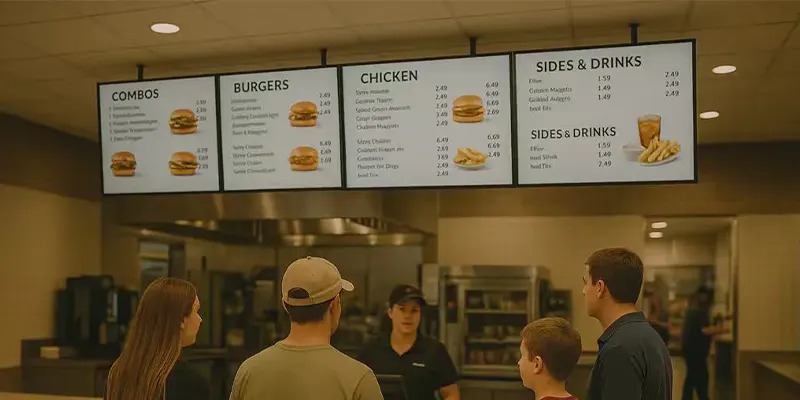
Why Speed Matters in Quick-Service Restaurants?
Speed is one of the most important factors in quick-service restaurants. Customers usually choose these restaurants because they expect their food to be prepared and served quickly. If the ordering process takes too long, customers may feel frustrated and look for faster alternatives.
Fast service also helps restaurants manage busy periods more efficiently. When orders are processed quickly, staff can serve more customers in a shorter amount of time. This not only improves the overall dining experience but also increases sales potential.
By maintaining quick and efficient service, quick-service restaurants can meet customer expectations, reduce waiting times, and build stronger customer satisfaction.
How Touch Screen Signage Improves Ordering Efficiency?
Self-Service Ordering Kiosks
One of the most common uses of touch screen signage is the self-service kiosk. These kiosks allow customers to place orders without waiting for staff assistance. During busy hours, this dramatically reduces congestion at the front counter.
Self-service kiosks equipped with touch screen signage also allow multiple orders to happen simultaneously. Instead of one line moving slowly, several customers can order at once. This improves customer flow and shortens waiting times.
Visual Menu Navigation
Another advantage of touch screen signage is its visually rich interface. High-quality images, categories, and clear pricing help customers make faster decisions. Instead of reading a long menu board, they can simply tap through options.
This visual approach also encourages exploration. Customers often discover new menu items or upgrades when browsing through touch screen signage. As a result, restaurants may see higher average order values.
Real-Time Menu Updates
Restaurants frequently update menu items, pricing, or promotions. With traditional signage, these changes require printed materials or manual updates. However, touch screen signage allows instant updates across all displays.
This real-time capability ensures customers always see accurate information. It also allows restaurants to promote limited-time offers, seasonal items, or combo deals quickly and efficiently.
In short, touch screen signage enhances efficiency by simplifying ordering, reducing communication errors, and improving menu visibility.
Improving Order Accuracy with Touch Screen Technology
Touch screen ordering plays a key role in reducing errors in restaurant orders. Traditional counter ordering relies on verbal communication, which can easily lead to mistakes due to noise, language barriers, or rushed interactions. Even small errors, like missing a topping or selecting the wrong size, can frustrate customers and slow down service.
With touch screen kiosks, customers input their own selections directly on the screen. Each choice—whether it's customizing a burger, selecting a side, or adding extra toppings—is recorded accurately and sent instantly to the kitchen. Many systems also display a clear order summary for the customer to review before finalizing. This visual confirmation ensures that all customizations are correct and reduces the need for staff corrections. By minimizing human error, touch screen signage not only improves order accuracy but also speeds up service and enhances the overall dining experience.
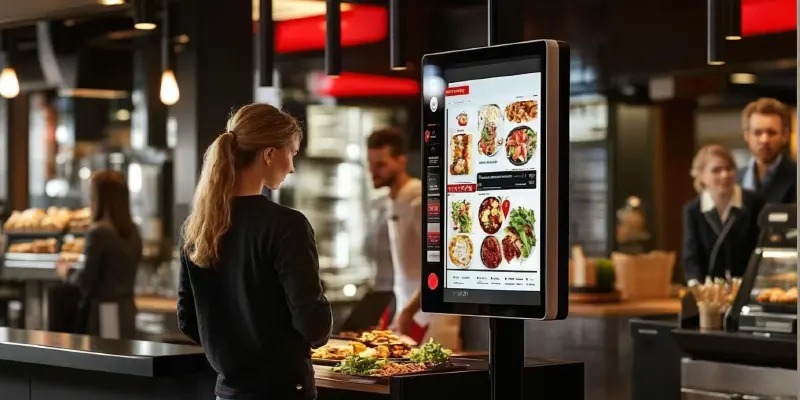
Enhancing the Customer Experience
Touch screen ordering improves the overall dining experience by making the process faster and more convenient. Customers can browse the menu, view images, and customize their meals at their own pace without feeling rushed by a line behind them. This gives diners more control over their order and helps them make choices more confidently.
Self-service kiosks also help reduce long queues at the counter, especially during busy hours. With multiple ordering stations available, customers can place orders more quickly and spend less time waiting. Clear menu layouts, pricing details, and ingredient information displayed on the screen also make ordering easier and more transparent. Overall, touch screen signage creates a smoother, more modern experience that many customers appreciate.
Best Practices for Implementing Touch Screen Signage
Strategic Placement
Proper placement is essential for encouraging customers to use touch screen signage. Kiosks should be installed in visible and accessible areas, such as near the entrance, beside the ordering counter, or along natural customer pathways. When customers can easily see the screens, they are more likely to approach and use them.
Restaurants should also consider placing multiple kiosks in high-traffic areas to prevent crowding during peak hours. Clear signage or simple instructions near the screens can guide first-time users and make the technology feel more approachable. When kiosks are placed strategically, they help distribute customer traffic more evenly and reduce long lines at traditional counters.
Intuitive User Interface
A simple and intuitive interface is critical for successful touch screen signage adoption. The layout should feature large buttons, clear menu categories, and easy-to-read text so customers can navigate the system quickly. The ordering process should be straightforward, guiding users step by step from menu selection to payment.
High-quality images of menu items also help customers make faster decisions. When customers can clearly see what they are ordering, they feel more confident and spend less time searching for information. A well-designed interface reduces confusion, shortens ordering time, and ensures that customers of all ages can use the system comfortably.
Integration With POS Systems
Integrating touch screen signage with the restaurant’s point-of-sale (POS) system is another important best practice. When the systems are connected, orders placed on the screen are automatically sent to the kitchen and recorded in the restaurant’s sales system. This eliminates the need for staff to manually enter orders, reducing both delays and potential errors.
POS integration also allows restaurants to track sales data, monitor popular menu items, and manage inventory more effectively. With real-time reporting and analytics, managers can make better decisions about menu updates, promotions, and staffing. Overall, seamless integration ensures that touch screen signage works smoothly as part of the restaurant’s overall operations.
Conclusion
Touch screen signage is transforming the way quick-service restaurants operate. By enabling self-service ordering, improving menu visibility, and reducing wait times, this technology helps restaurants serve customers faster and more efficiently.
From reducing queues to improving order accuracy, touch screen signage offers measurable benefits that enhance both operational performance and customer satisfaction. As digital innovation continues to evolve, restaurants that adopt touch screen signage will be better positioned to meet the growing demand for speed, convenience, and modern dining experiences.
In an industry where every second counts, touch screen signage is proving to be a powerful tool for driving faster ordering and delivering a smarter restaurant experience.
FAQs
1. What is touch screen signage in restaurants?
Touch screen signage refers to interactive digital displays that allow customers to browse menus, customize orders, and complete transactions directly on a screen.
2. How does touch screen signage improve ordering speed?
Touch screen signage reduces wait times by allowing multiple customers to place orders simultaneously without relying solely on staff.
3. Is touch screen signage difficult for customers to use?
Most touch screen signage systems are designed with simple interfaces, large icons, and step-by-step instructions, making them easy for customers of all ages to use.
4. Can touch screen signage increase restaurant sales?
Yes. Touch screen signage often includes upselling features, promotional displays, and suggested add-ons that can increase average order value.
5. Are touch screen signage systems expensive to install?
Costs vary depending on hardware and software requirements, but many restaurants consider touch screen signage a worthwhile investment due to improved efficiency and higher sales potential.
6. Can touch screen signage support multiple languages?
Yes. Many touch screen signage systems offer multilingual options, helping international customers order comfortably.
7. Do touch screen signage systems integrate with POS software?
Most modern touch screen signage platforms integrate seamlessly with POS systems to ensure accurate order processing and reporting.