
How Starbucks Upgraded Their Customer Experience with Digital Signage?
Digital transformation is reshaping how coffee retailers operate and connect with customers. Today's coffee shops are no longer just places to grab a drink—they are becoming smart, tech-enabled spaces designed for speed, convenience, and personalization. From mobile ordering and digital menus to digital signage and loyalty apps, technology helps streamline operations while enhancing the customer journey. In a competitive market where customers expect quick service and customized experiences, digital tools allow coffee brands to reduce wait times, present products more clearly, and create more engaging in-store interactions. This shift marks a move from traditional counter service to a more interactive and data-driven retail environment.
What Is Digital Signage?
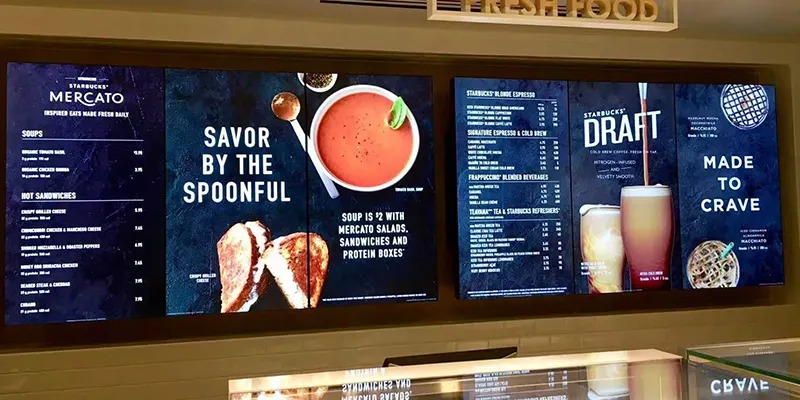
Digital signage is a type of digital display that allows users to interact directly with on-screen content through touch. Unlike standard screens that only show information, digital signage responds to taps, swipes, and gestures, making it possible for customers to browse menus, view product details, and make selections on their own. It combines visual communication with simple user interaction, turning a display into a self-service information point. In retail and food service environments, digital signage is often used to improve customer engagement, reduce waiting time, and provide a more personalized and convenient experience.
How Touch Displays Differ from Traditional Digital Signage?
Touch displays and traditional digital signage serve different roles in customer communication. Traditional digital signage mainly delivers one-way messages, such as promotions, menus, or announcements, allowing customers to view content passively. In contrast, touch displays enable two-way interaction, letting users explore menus, customize options, and access detailed information with simple taps or swipes. This interactive approach gives customers greater control over their experience and makes information easier to understand. While traditional signage focuses on visibility and branding, touch displays emphasize engagement and personalization, turning screens into active service tools rather than just visual advertising surfaces.
The Challenges Starbucks Faced Before Digital Signage
Long Queues and Menu Confusion
Before digital signage, customers often faced long lines while trying to understand a menu filled with choices, add-ons, and limited-time drinks. With so many combinations available, people needed extra time to decide, which slowed down the entire queue. New customers, in particular, struggled to understand drink names and customization options, leading to hesitation and repeated questions at the counter. This created bottlenecks during peak hours and made the ordering process feel stressful instead of enjoyable, increasing the risk of abandoned purchases and reduced satisfaction.
Information Overload at the Counter
At the counter, baristas had to explain menu items, take detailed orders, and prepare drinks at the same time. This constant multitasking increased the chance of mistakes and made communication harder during busy periods. Customers often asked about ingredients, sizes, and prices, which extended each transaction and added pressure on staff. For Starbucks, this meant longer service times and a higher workload for employees, limiting their ability to focus on friendly interactions and consistent service quality.
Why Starbucks Choose Digital Signage?
Starbucks choose digital signage to better match modern customer expectations for speed, control, and personalization. With increasingly complex menus and a strong focus on customized drinks, the brand needed a clearer and more efficient way for customers to explore options without slowing down service. Digital signage allows users to view detailed product information, adjust ingredients, and make choices independently, reducing pressure at the counter. At the same time, it supports Starbucks' digital strategy by collecting useful data on customer preferences, helping the company refine menus, improve promotions, and deliver a more tailored in-store experience.
How Digital Signage Works in Starbucks Stores?
Interactive Menu Boards
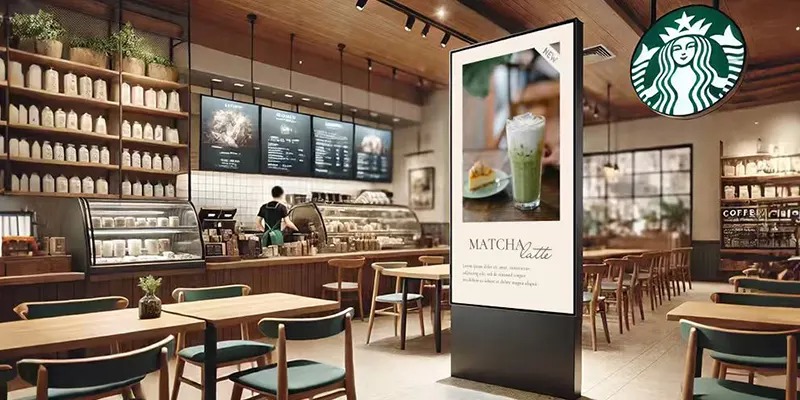
In Starbucks stores, interactive menu boards present products in a clear and visually appealing way. Customers can tap on a drink to instantly see its ingredients, nutritional information, and available customizations. This makes it easier to understand complex menu items and compare options without asking staff for help. By turning the menu into an interactive guide, these screens help customers make quicker and more confident decisions.
Self-Ordering Kiosks
Self-ordering kiosks allow customers to complete their entire order directly on a touchscreen. Users can select their drinks, adjust size and flavor options, and confirm their order at their own pace. This reduces pressure at the counter and shortens waiting times during busy hours. The kiosk acts as a digital assistant, guiding customers step by step and ensuring orders are recorded accurately.
Integration with Mobile Apps
Digital signage is often connected with Starbucks' mobile app and loyalty system. Customers can scan their rewards code, access saved preferences, and quickly reorder favorite drinks. This integration creates a smooth link between online and in-store experiences, allowing customers to feel recognized and making the ordering process faster and more personalized.

Conclusion
Digital signage has transformed how Starbucks delivers its in-store experience by making ordering faster, clearer, and more personalized. Through interactive menus and self-service options, customers gain greater control over their choices while staff can focus more on preparing drinks and providing friendly service. This combination of technology and human interaction strengthens efficiency and satisfaction at the same time. As customer expectations continue to evolve, digital signage represents a smart step toward a more connected, engaging, and future-ready coffee retail environment.
FAQs
1. What is digital signage in Starbucks stores?
Digital signage refers to interactive digital screens that allow customers to browse menus, customize drinks, and sometimes place orders directly.
2. How does digital signage improve customer experience?
It reduces waiting time, improves accuracy, and lets customers explore menu options at their own pace.
3. Does digital signage replace baristas?
No. It supports baristas by reducing order pressure, allowing them to focus on drink quality and customer interaction.
4. Is digital signage expensive to install?
Yes, but for large chains like Starbucks, the long-term efficiency and data benefits justify the investment.
5. Will all Starbucks stores use digital signage in the future?
Not all, but many are expected to adopt it as part of smarter store concepts and evolving customer expectations.