
Improving Meeting Efficiency with Interactive Digital Screens: A Real Success Case
Technology has moved far beyond standard projectors and whiteboards. Interactive digital screens bring dynamic engagement and intuitive tools into the meeting room, providing a more visual, touch-enabled, and connected way of working.
These tools don't just look impressive—they transform the way teams communicate.
1.What Are Interactive Digital Screens?
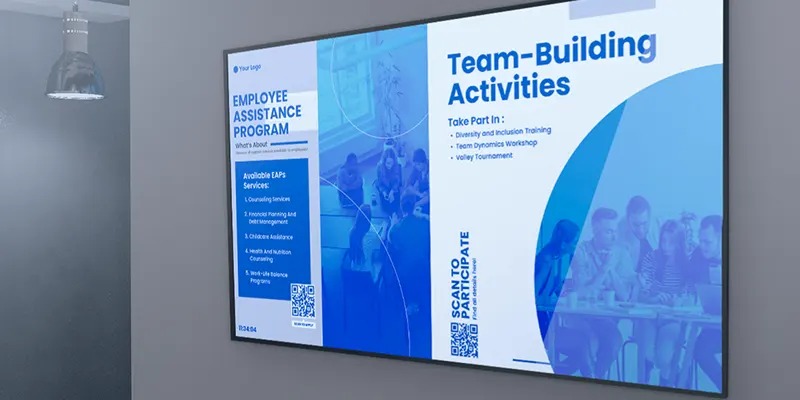
Interactive digital screens are large-format touch displays designed to allow teams to write, present, collaborate, and interact with content in real time. They combine the functionality of:
A digital whiteboard
A presentation display
A collaboration hub
A video conferencing platform
All into one powerful device.
Key Technological Components
1.Advanced Touch Systems
Modern screens use infrared, capacitive, or optical bonding technologies for extremely smooth touch responses, allowing multiple users to write and draw at the same time.
2.Multi-Device Connectivity
Laptops, tablets, and smartphones can connect wirelessly—instantly sharing screens without messy cables.
3.Integrated Operating Systems
Most models come with Android, Windows, or dual systems, allowing access to apps, browsers, cloud services, and productivity tools directly on the screen.
2.Disadvantages
Time Wasted on Setup
One of the most common problems with traditional meeting tools is the amount of time needed to set them up. Employees frequently spend the first 10–20 minutes of a meeting connecting HDMI cables, finding the right adapters, adjusting audio, or troubleshooting projectors that fail to display properly. These delays interrupt meeting flow and force people to shift their attention from discussion to problem-solving technical issues.
In many companies, these small delays accumulate into hours of wasted time each week. When a team of eight people waits 15 minutes for the screen to work, that’s two full hours of collective productivity lost in a single meeting. Over time, this inefficiency becomes a costly and predictable disruption.
Poor Engagement and Low Collaboration
Traditional screens are designed for one-way presentations rather than interactive discussion. They display content, but they do not allow participants to annotate, adjust information, or contribute ideas directly on the screen. This makes the meeting environment passive, where one person presents while others simply watch.
Low engagement leads to fewer ideas being shared, slower problem-solving, and reduced involvement from quieter team members. Without interactive tools, meetings often turn into long monologues instead of collaborative sessions. As a result, team creativity, innovation, and group participation drop significantly.
Communication Silos Across Departments
Another major disadvantage is the difficulty of sharing information effectively. Traditional tools do not automatically store or distribute meeting content. Notes might live in one person’s laptop, photos of whiteboards may get lost, and decisions often fail to reach all relevant departments.
This leads to communication silos—where each team only has partial information. After the meeting, different groups may leave with different interpretations or missing details. These inconsistencies create confusion, duplicate work, missed tasks, and delays in project execution. The lack of centralized documentation makes ongoing alignment more difficult.
Slow and Inefficient Decision-Making
Without clear visuals or interactive collaboration tools, discussions take longer and decisions are delayed. Participants may struggle to understand small charts on a projector, or teams may waste time going back and forth over unclear data. When people cannot see information clearly or interact with it, they hesitate more and ask for repeated explanations.
This slows down approval cycles and stretches decision timelines, especially in meetings involving executives or cross-functional teams. Slow decision-making affects project momentum, reduces operational agility, and can cause organizations to miss opportunities that require fast action.
3.Benefits of Using Interactive Digital Screens
Instant and Hassle-Free Setup
Interactive digital screens eliminate the need for cables, adapters, and complicated projector systems.
Most models support wireless casting from laptops, tablets, and phones, allowing meetings to start immediately. This reduces setup delays and helps teams stay focused on the purpose of the meeting rather than spending time troubleshooting technical issues.
Increased Engagement During Meetings
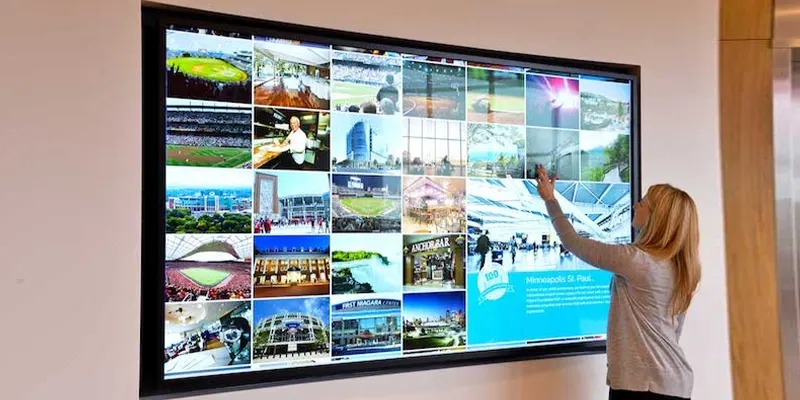
Unlike traditional screens, interactive displays encourage participation. Users can write, draw, highlight, and manipulate content directly on the screen.
This hands-on interaction keeps participants attentive and involved. It also makes presentations more dynamic, improving understanding and retention of information.
Real-Time Collaboration for All Teams
Interactive screens support multiple users interacting simultaneously.
Whether team members are in the same room or joining remotely, they can annotate documents, share ideas, and update content together in real time. This strengthens teamwork and reduces the communication barriers that often occur in hybrid environments.
Clear and Professional Visual Presentations
These screens offer high-resolution displays that ensure visuals remain sharp and easy to read.
Data charts, diagrams, and text are presented clearly, helping participants understand complex information without confusion. Better visibility also creates a more professional environment for client presentations and executive meetings.
4.How to Select the Best Interactive Digital Screen
Choosing the right interactive digital screen is an important decision for any organization aiming to modernize meetings, improve collaboration, and reduce time wasted on outdated technology. With many options available, it’s essential to evaluate the features, performance, and long-term suitability of each device. The sections below break down the key factors you should consider to ensure you select a screen that matches your needs and provides long-term value.
Understand Your Meeting Room Requirements
Before comparing models, start by evaluating the room where the screen will be installed. Consider the size of the space, typical audience size, and how people normally use the room.
A larger room may require a bigger screen (such as 75–86 inches) to ensure visibility for all participants. Smaller rooms may work well with 55–65-inch displays. Also think about whether the room is used for presentations, brainstorming sessions, video conferencing, or training. Understanding your environment ensures that the screen you choose fits both the space and the purpose.
Check Display Quality and Resolution
Display clarity is crucial for effective communication. Look for screens that offer at least 4K resolution to guarantee sharp text, detailed images, and readable charts from any position in the room. High brightness and anti-glare glass are also important, especially in spaces with strong lighting or large windows. A clear, high-quality display minimizes visual strain and ensures that all participants can follow the discussion easily.
Evaluate Touch Performance and Responsiveness
Interactive digital screens should feel smooth and natural to use. Test how the touchscreen responds to writing, drawing, and multi-touch gestures. A high-quality screen should register touch accurately without lag. If the board is frequently used for brainstorming or annotation, look for features like palm rejection, multi-pen support, and pressure sensitivity. Reliable touch performance greatly enhances collaboration and prevents interruptions during meetings.
Review the Operating System and Interface
Different screens run on different operating systems, such as Android-based platforms, proprietary systems, or built-in PC modules. Choose a system that is easy for employees to use and supports the applications your organization relies on. A clean, intuitive interface reduces training time and ensures that everyone can operate the screen confidently, even without technical assistance.
5.Conclusion
Interactive digital screens are transforming how teams communicate. They don’t simply upgrade a meeting room—they reinvent collaboration from the ground up. The NovaTech case proves that this technology isn’t just exciting—it delivers real results: shorter meetings, smarter decisions, and more engaged teams.
Businesses ready to improve communication, reduce wasted time, and future-proof their meeting rooms should seriously consider adopting interactive digital screens. The future of efficient meetings is already here—you simply need to tap the screen and begin.
6.FAQs
1. Can interactive digital screens replace traditional projectors?
Yes—because they combine display, writing tools, and connectivity into one system.
2. Do I need technical expertise to use them?
Not at all. The interfaces are designed to be intuitive and beginner-friendly.
3. Are they suitable for remote teams?
Absolutely—they support real-time remote collaboration.
4. How long do they last?
Quality screens typically last 7–10 years with proper care.
5. Are they worth the investment?
With reduced meeting times and increased productivity, most companies see ROI within 6–18 months.