
How to Evaluate Digital Signage Manufacturers for Long-Term Success?
Digital signage are no longer optional display tools. In many industries, they have become essential infrastructure for communication, branding, and self-service. At the center of every kiosk is the digital LCD screen, responsible for visibility, clarity, and user experience.
As the market expands, manufacturers vary widely in quality and capability. Understanding how to evaluate them correctly is critical for long-term success.
1. What Is a Digital Signage System?
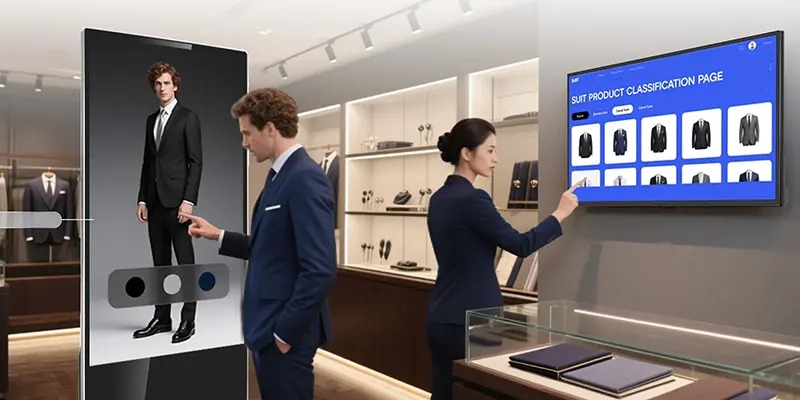
A digital signage system is a complete solution that combines a commercial-grade digital LCD screen, control hardware, enclosure, and content management software.
Its function is to deliver consistent visual information in public or commercial spaces. Whether displaying advertisements, navigation instructions, or service interfaces, kiosks operate continuously with minimal human involvement.
2. Why Digital LCD Screen Technology Is Central?
The performance of a kiosk depends heavily on its display. A high-quality digital LCD screen ensures strong brightness, accurate colors, and stable operation during long working hours.
Inferior screens may reduce visibility, increase failure rates, and shorten product lifespan. For this reason, screen specifications should be a primary consideration when comparing manufacturers.
3. Clarifying Project Requirements in Advance
Before engaging with suppliers, businesses should clearly define how and where kiosks will be used. Environmental conditions, installation method, interaction level, and operating time all influence the appropriate configuration.
Clear requirements help manufacturers recommend suitable digital LCD screen options rather than generic solutions.
4. Typical Application Environments
Retail and Commercial Locations
Retail kiosks rely on high-resolution digital LCD screens to present promotions, pricing, and product information. Interactive models can guide customers and enhance engagement.
Corporate Offices and Institutions
In office buildings, kiosks serve as directories, notice boards, and visitor guidance tools. Screen clarity and professional appearance play an important role in brand perception.
Public and Outdoor Spaces
Outdoor environments demand durable enclosures and sunlight-readable digital LCD screens. Reliability under heat, cold, and continuous use is essential.
5. Defining Objectives and Performance Metrics
Clear objectives give direction to any digital signage project. Common goals include increasing customer engagement, improving information delivery, or reducing operational workload.
Once objectives are set, define KPIs such as interaction frequency, screen dwell time, or content effectiveness. Manufacturers that support monitoring and reporting tools make it easier to evaluate kiosk performance over time.
6. Understanding Different Kiosk Configurations
Indoor and Outdoor Kiosks
Indoor kiosks focus on design and display quality, while outdoor kiosks emphasize protection, cooling, and high-brightness digital LCD screen performance.
Interactive and Non-Interactive Models
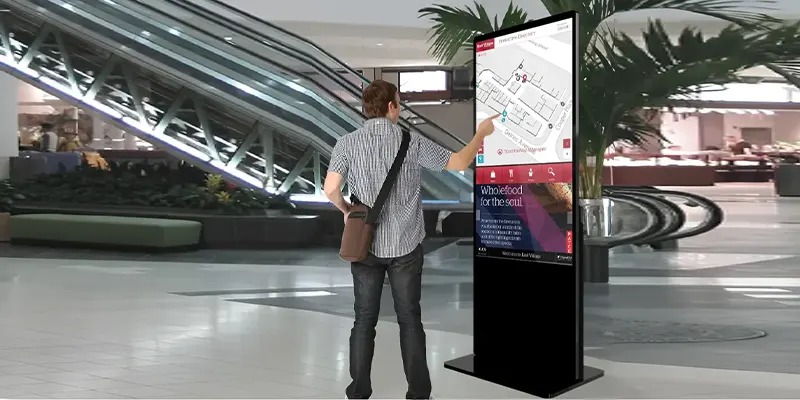
Interactive kiosks use touch technology for self-service applications. Non-interactive kiosks focus on continuous information display and advertising.
Installation Formats
Floor-standing kiosks provide high visibility, wall-mounted units save space, and countertop kiosks suit reception and service desks.
7. Software and CMS Compatibility
A reliable kiosk is not defined by hardware alone. Manufacturers should support flexible software environments and common operating systems.
A capable CMS allows remote updates, scheduling, and basic diagnostics. Stable software support ensures digital LCD screen kiosks remain secure and manageable throughout their lifecycle.
8. Assessing Manufacturer Experience and Reliability
Manufacturers with proven experience usually demonstrate stronger quality control and project execution. Reviewing past installations and industry references helps verify their capability.
Experience with large-scale digital LCD screen deployments indicates readiness for long-term cooperation rather than one-time sales.
9. Warranty Policies and After-Sales Support
Warranty coverage reflects confidence in product quality. Pay close attention to coverage for the digital LCD screen, touch components, and internal electronics.
Efficient after-sales support, including troubleshooting and spare part availability, reduces downtime and protects your investment.
10. Conclusion
Choosing a digital signage manufacturer requires more than comparing prices. It involves evaluating display quality, system compatibility, and long-term support capability.
Manufacturers that deliver reliable digital LCD screen solutions and ongoing service provide greater value over time and help ensure consistent performance across all deployment scenarios.
11. FAQs
1. How long can a commercial digital LCD screen operate continuously?
Most commercial screens are designed for long-term use, typically 5 to 10 years.
2. What should I prioritize when selecting a kiosk manufacturer?
Display quality, experience, software compatibility, and after-sales support.
3. Can digital signage kiosks support third-party CMS platforms?
Many manufacturers allow this, but compatibility should be confirmed in advance.
4. Are outdoor kiosks more expensive?
Yes, due to reinforced enclosures and high-brightness digital LCD screen requirements.
5. How do I reduce risk when choosing a supplier?
Review experience, certifications, project cases, and service responsiveness.