
What Do I Need for Digital Signage?
What Do I Need for Digital Signage?
Many people assume digital signage is complicated, but the setup is actually built around a few core components. A successful system combines the right hardware, software, internet connection, and content strategy. Choosing the proper equipment depends on factors like location, screen size, audience, and budget. Understanding these essentials helps businesses create reliable and professional digital signage networks without unnecessary costs or technical problems.

Essential Hardware for Digital Signage
Digital Display Screen
The display screen is the centerpiece of every digital signage system. Businesses typically choose between LCD and LED displays depending on the environment and viewing distance. LCD screens are popular for indoor applications because they provide sharp images, accurate colors, and affordable pricing. Retail stores, restaurants, schools, and offices often use LCD screens for promotions and information displays.
LED displays are commonly used for outdoor advertising and large public installations because they offer higher brightness and better visibility under sunlight. These displays can handle harsh weather conditions and maintain strong image performance even from long distances. Choosing the right screen size and brightness level is important because the display should remain clear and comfortable for viewers.
Media Player
The media player acts as the brain of the digital signage system. It stores and delivers content such as videos, advertisements, menus, and announcements to the display screen. Some commercial screens include built-in media players, while others require external devices connected through HDMI or other interfaces.
Businesses should choose media players based on their content needs. Simple image slideshows require minimal processing power, while 4K videos and interactive applications need more advanced hardware. Reliable media players improve playback performance and reduce technical interruptions during operation.
Mounting and Installation Equipment
Proper mounting equipment is essential for safety and professional presentation. Wall mounts, ceiling brackets, floor stands, and kiosk enclosures help position screens securely while improving visibility. Poor installation can create physical hazards, especially with large or heavy displays.
Outdoor installations often require reinforced structures and weatherproof enclosures for additional protection. Businesses should also consider viewing angles, customer traffic flow, and screen height to maximize visibility and user engagement.
Power Supply and Cabling
A stable power supply is critical for reliable digital signage performance. Commercial displays often run for long hours every day, so businesses should use surge protectors and high-quality electrical components to prevent damage caused by power fluctuations.
Cable management is equally important because exposed or tangled wires can create safety hazards and reduce the professional appearance of the installation. Organized cabling improves airflow, simplifies maintenance, and supports long-term reliability.
Software and Content Management
Digital Signage Software
Digital signage software allows businesses to manage and control content displayed on screens. This software works as the control center for scheduling videos, updating promotions, and managing multiple displays remotely. Cloud-based platforms are especially popular because they allow users to update content from anywhere with an internet connection.
Modern signage software often includes advanced features such as split-screen layouts, emergency alerts, playlists, and real-time updates. Choosing easy-to-use software helps businesses save time while improving operational efficiency.
Content Creation Tools
Content is what attracts attention and delivers value through digital signage. Even the best display hardware will fail if the visuals look outdated or poorly designed. Businesses often use graphic design software, video editing tools, and animation platforms to create engaging content.
Clear messaging usually performs best on digital signage. Large fonts, bold visuals, and short text help viewers understand information quickly. Businesses should also update content regularly to keep displays fresh and relevant.
Internet Connectivity
Many modern digital signage systems depend on internet connectivity for remote management and live content updates. Restaurants may update menu pricing instantly, while retail stores can launch promotions across multiple locations at the same time.
A reliable internet connection also supports social media integration, weather updates, news feeds, and cloud-based storage. Some systems include offline playback capabilities so screens continue functioning even during temporary internet outages.
Content Scheduling and Automation
Automation is one of the biggest advantages of digital signage. Businesses can schedule different content based on the time of day, audience behavior, or seasonal promotions. For example, a café can automatically switch from breakfast promotions to lunch menus later in the day.
Automated scheduling also improves consistency across multiple locations. Large businesses can manage dozens of displays centrally instead of updating each screen manually, saving time and reducing operational mistakes.
Choosing the Right Digital Signage Setup
Indoor vs Outdoor Displays
Indoor and outdoor digital signage systems require very different specifications. Indoor displays focus on image quality, balanced brightness, and energy efficiency because they operate in controlled environments with stable lighting conditions.
Outdoor displays need higher brightness levels, weatherproof protection, and durable materials to withstand sunlight, rain, dust, and temperature changes. Businesses should always select displays specifically designed for their installation environment.
Screen Size and Resolution
The right screen size depends on viewing distance and audience location. Smaller screens work well for close viewing in restaurants or retail stores, while larger displays are necessary for airports, shopping malls, and public spaces.
Resolution is equally important because it affects image clarity and readability. Full HD resolution is sufficient for many applications, while 4K displays provide sharper visuals for premium environments and large-format installations.
Single Displays vs Video Walls
Some businesses only need a single display for menus or advertisements, while others benefit from large video walls that create immersive visual experiences. LCD video walls combine multiple screens together, while LED walls provide seamless visuals without visible borders.
Video walls are popular in stadiums, trade shows, luxury retail stores, and corporate lobbies because they create stronger visual impact. Although they require larger investments, they significantly increase audience engagement and brand visibility.
Budget and Maintenance Planning
Digital signage costs vary depending on display type, software, installation complexity, and screen size. Businesses should consider both upfront expenses and long-term operational costs such as maintenance, software subscriptions, and electricity usage.
Commercial-grade equipment may cost more initially, but it usually delivers better reliability and lower repair costs over time. Preventive maintenance, including software updates and regular inspections, also helps extend system lifespan.
Advanced Features and Future Expansion
Interactive Touchscreen Technology
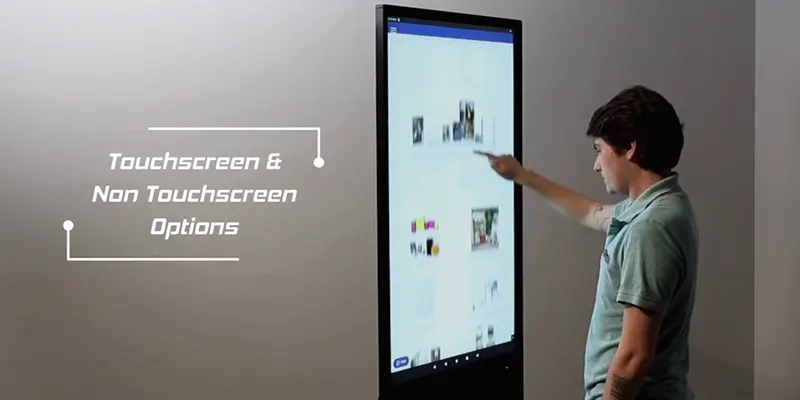
Interactive touchscreen displays allow users to engage directly with the content. Restaurants use touchscreen ordering systems, while shopping malls and airports use interactive maps and directories to improve customer convenience.
Touchscreen signage creates a more personalized and engaging experience compared to passive displays. Businesses should ensure the interface remains simple and responsive to provide smooth user interaction.
Audio and Multimedia Integration
Some digital signage systems include speakers, video cameras, and multimedia features for more immersive communication. Entertainment venues and event spaces often combine large displays with synchronized audio systems to enhance audience engagement.
Audio should always match the environment. Loud sound effects may work well in concerts or sports arenas but become distracting in offices or healthcare settings. Balanced multimedia integration improves communication effectiveness.
Remote Monitoring and Analytics
Modern signage software often includes remote monitoring and analytics tools that track display performance and audience engagement. Businesses can monitor screen uptime, playback status, and content effectiveness from a central dashboard.
Analytics provide valuable insights into customer behavior and marketing performance. Companies can identify which promotions attract attention and adjust content strategies accordingly to improve results.
Scalability for Business Growth
One major advantage of digital signage is scalability. Businesses can start with a single screen and expand into larger networks as their communication needs grow. Cloud-based management systems make it easy to add new displays without rebuilding the entire infrastructure.
Planning for future expansion helps businesses avoid compatibility issues later. Choosing flexible hardware and software ensures the system can adapt to new technologies and changing business goals.
Conclusion
Digital signage requires a combination of hardware, software, internet connectivity, and high-quality content to function effectively. The most important components include display screens, media players, mounting systems, signage software, and reliable power infrastructure. Together, these elements create a dynamic communication platform that improves customer engagement and operational efficiency.
LCD displays remain ideal for indoor environments because they provide sharp visuals and cost-effective performance. LED displays are better suited for outdoor applications where brightness and durability are essential. Businesses should always match the display type to the installation environment and audience needs.
A successful digital signage setup is not only about technology but also about planning and strategy. Choosing reliable equipment, maintaining consistent content updates, and preparing for future expansion all contribute to long-term success. With the right setup, digital signage becomes a powerful tool for branding, communication, and customer experience improvement.
FAQ
1. What equipment is required for digital signage?
A basic digital signage setup usually includes a display screen, media player, digital signage software, internet connection, and mounting equipment. Some systems also use speakers, touchscreens, or cameras depending on the application.
2. Can I use a regular TV for digital signage?
Yes, a regular TV can be used for small or temporary digital signage projects. However, commercial-grade displays are better for long-term use because they are designed to operate for extended hours and provide better durability.
3. Do I need internet for digital signage?
Not always. Some digital signage systems can play stored content offline using a USB drive or local media player. However, internet connectivity is useful for remote updates, cloud management, and live content feeds.
4. Which is better for digital signage, LCD or LED?
LCD displays are usually better for indoor environments because they provide sharp image quality at lower costs. LED displays are better for outdoor and large-scale applications because they offer higher brightness and stronger durability.
5. How much does a digital signage system cost?
The cost depends on screen size, display type, software, and installation complexity. Small indoor setups may cost a few hundred dollars, while large outdoor LED displays can cost thousands or even more.
6. What content works best for digital signage?
Short videos, promotions, menus, announcements, and high-quality images work best. Content should use large text, bright visuals, and simple messaging so viewers can understand information quickly.