
What Is the Difference Between an Interactive Board and a Smart Board?
Technology has completely changed the way people teach, present ideas, brainstorm, and collaborate. Walk into a modern classroom or conference room today, and chances are you will see a giant touchscreen display replacing the old chalkboard or projector setup. But here’s where many people get confused: should you call it an interactive board or a smart board? Are they actually different products, or are people just using different names for the same thing?
The confusion is understandable because both terms are often used interchangeably in schools, offices, and marketing materials. Some companies label their products as “interactive boards,” while others proudly advertise “smart boards.” If you are researching digital display solutions for education, business meetings, training centers, or even hybrid workspaces, understanding the distinction matters more than you think. Choosing the wrong system can affect your budget, software compatibility, maintenance costs, and long-term usability.
Before investing in one of these systems, it is important to understand what each term actually means, how the technologies evolved, and which option makes the most sense for your environment.
1. Understanding the Basics of Interactive Display Technology
Digital collaboration tools have become as common as laptops and smartphones. Teachers use them to explain math concepts visually, businesses use them during presentations, and training centers rely on them for interactive workshops. Despite their popularity, many people still struggle to understand the difference between an interactive board and a smart board because the terms overlap heavily.
At the simplest level, an interactive board is a broad category of touch-enabled display technology. A smart board, on the other hand, originally referred to a specific product line developed by SMART Technologies. Over time, the phrase “smart board” became so popular that many people began using it as a generic term for any interactive display. It is similar to how people say “Google” instead of “search online” or “Kleenex” instead of tissue paper.
What Is an Interactive Board
An interactive board is a general term used to describe any touch-sensitive display that allows users to interact directly with digital content. These systems can include interactive whiteboards, interactive flat panels, touch-enabled displays, and hybrid collaboration screens.
Traditional interactive boards often relied on a projector connected to a computer. The projector displayed content onto a touch-sensitive whiteboard surface, allowing users to interact using a stylus or finger. While these systems were revolutionary at the time, they came with drawbacks such as shadow interference, projector maintenance, lower brightness, and calibration issues.
Modern interactive boards have evolved dramatically. Most now use interactive flat panel technology, which combines a high-resolution LED display with built-in touch sensors and onboard computing systems. These displays work more like giant tablets than projector screens.
The biggest advantage of interactive boards is flexibility. Businesses, schools, healthcare facilities, and creative studios can all use them differently. Some organizations prioritize wireless collaboration, while others focus on teaching software or video conferencing integration.
What Is a Smart Board
A Smart Board technically refers to products developed by SMART Technologies. The company pioneered interactive whiteboard systems in the early 1990s and became one of the most recognizable brands in educational technology. Over time, the brand name became synonymous with interactive whiteboards in general.
This branding success created today’s terminology confusion. Many people casually call any interactive display a “smart board,” even when the product comes from companies like BenQ, ViewSonic, Samsung, LG, or MAXHUB. Technically speaking, though, not every interactive board is a SMART Board product.
Today’s SMART Boards are no longer simple projector-based systems. The company has also transitioned into modern interactive flat panel displays with built-in Android systems, cloud connectivity, and advanced touch technology. That means the line between “interactive board” and “smart board” has become even blurrier over time.
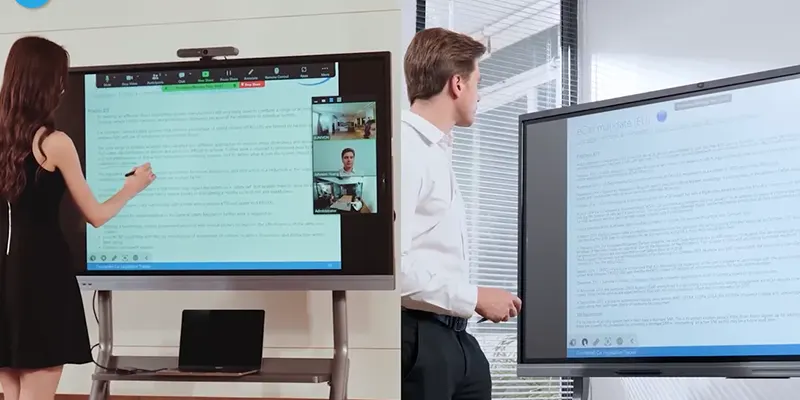
2. Key Differences Between Interactive Boards and Smart Boards
Although the terms overlap heavily, there are still meaningful differences worth understanding.
Brand Name vs Generic Category
The most important distinction is simple:
· Interactive board = a broad product category
· Smart Board = originally a specific brand/product line
This is the root of the confusion. Every SMART Board is an interactive board, but not every interactive board is a SMART Board.
Hardware and Display Technology
Older SMART Boards often relied on projector systems paired with touch-sensitive whiteboards. Many modern interactive boards now use LED interactive flat panels with 4K resolution and anti-glare coatings.
Interactive flat panels generally provide:
· Better brightness
· Sharper visuals
· Lower maintenance
· Faster touch response
· Improved durability
Modern businesses and schools increasingly prefer flat panel systems because they eliminate projector maintenance costs and provide better visibility in bright rooms.
Software Ecosystem
SMART Boards often include proprietary software ecosystems designed specifically for education and collaboration. Interactive boards from other manufacturers may rely on Android systems, third-party apps, or open collaboration platforms.
Software compatibility matters more than many buyers realize. Some systems integrate seamlessly with:
· Google Workspace
· Microsoft Teams
· Zoom
· Cloud storage platforms
· Educational learning management systems
Connectivity and Collaboration Tools
Modern interactive displays often include:
· Wireless screen sharing
· USB-C connectivity
· Cloud whiteboarding
· Multi-device casting
· Remote collaboration tools
Some premium systems even include AI-powered meeting summaries and smart camera tracking features.
3. Which One Is Better for Classrooms
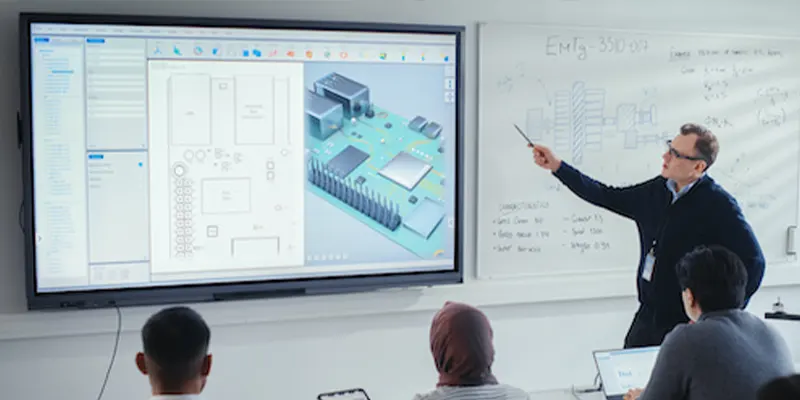
For education, the best option depends on teaching style, classroom size, and software needs. SMART Boards remain popular because of their educational software ecosystem and long-standing classroom presence.
However, many schools now choose interactive flat panels from other brands because they offer:
· Better value
· Lower maintenance
· Modern collaboration features
· Flexible operating systems
· Competitive pricing
Interactive flat panels also support multimedia teaching more effectively. Teachers can combine videos, annotations, live web browsing, and interactive activities in one seamless experience.
Student engagement tends to improve when lessons become interactive rather than lecture-based. Research consistently shows that visual and touch-based learning can improve participation and retention.
4. Which One Works Better for Business Meetings
Businesses often prioritize collaboration and conferencing features over classroom software. Modern interactive displays designed for conference rooms now include:
· Video conferencing integration
· Wireless collaboration
· Remote team participation
· AI meeting tools
· Digital whiteboarding
Hybrid work has made these features increasingly important. Teams now expect seamless collaboration between in-office and remote employees.
Conference room smart boards have evolved into complete communication hubs rather than simple presentation screens.
5. How to Choose the Right Interactive Display
Choosing the right system starts with understanding your actual needs.
Ask yourself:
· Is this mainly for education or business?
· Will remote collaboration matter?
· Do you need built-in software?
· How important is multi-touch support?
· What size room will it be used in?
For schools, educational software and durability may be top priorities. For businesses, conferencing integration and wireless collaboration often matter more.
It is also smart to think long-term. Technology evolves quickly, so choosing a flexible platform with regular software updates can extend the lifespan of your investment.
Conclusion
The difference between an interactive board and a smart board mostly comes down to terminology and branding. An interactive board is the broader category of touch-enabled collaborative displays, while Smart Board originally referred to products from SMART Technologies.
The right interactive display can completely transform classrooms, meetings, training sessions, and collaborative workspaces. Whether you call it an interactive board or a smart board, the goal remains the same: making communication more engaging, visual, and interactive.
FAQs
1. Is a Smart Board the same as an interactive board?
Not exactly. A Smart Board is technically a product line from SMART Technologies, while an interactive board is a general category of touch-enabled displays.
2. Which is better for classrooms: interactive boards or Smart Boards?
Both can work well in classrooms. SMART Boards are known for educational software integration, while many modern interactive boards offer lower maintenance and flexible collaboration tools.
3. Are interactive flat panels better than projector-based smart boards?
In most cases, yes. Interactive flat panels usually provide brighter displays, better touch accuracy, lower maintenance, and sharper 4K visuals.
4. Can interactive boards be used for video conferencing?
Yes. Many modern systems support Zoom, Microsoft Teams, Google Meet, and wireless collaboration features.
5. How much does a modern smart board cost?
Pricing varies depending on size and features. Entry-level systems may start around $1,500, while premium large-format displays can cost several thousand dollars.