
How Screen Interactive Systems Are Being Applied in Everyday Environments
Screen Interactive systems are increasingly used in retail, service environments, and public spaces where users need to access information directly. Unlike traditional displays, these systems rely on user input, which changes how content is structured and delivered. In practice, most deployments are not driven by novelty, but by the need to reduce staff workload and provide faster access to information in busy environments.
1. Defining Interaction Goals Before Deployment
Before introducing screen interactive systems, it is important to define what users are expected to do. In some cases, the goal is product browsing, while in others it may involve ordering, navigation, or information lookup. Clear objectives help simplify the interface and reduce unnecessary steps. Without this clarity, users may hesitate or abandon interaction altogether.
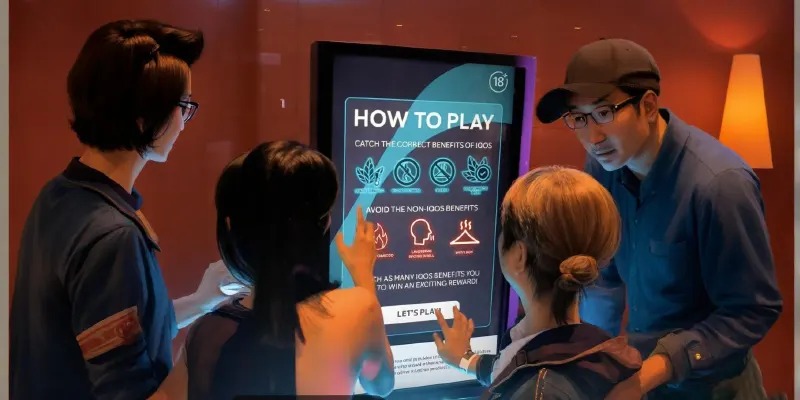
2. Designing Simple and Usable Interfaces
Ease of use is a key factor in screen interactive adoption. Interfaces are typically designed with large touch areas, limited options, and clear navigation paths. In high-traffic environments, users often interact with the system briefly, so complexity reduces effectiveness. Straightforward layouts tend to perform better than feature-rich but complicated designs.
3. Placement and Accessibility
The placement of screen interactive displays affects both visibility and usability. Common locations include entrances, service counters, and waiting areas where users naturally pause. Height, angle, and surrounding space also influence whether users feel comfortable interacting with the screen. Poor placement can limit usage even if the system itself functions well.
4. Case Example: Interactive Display in a Retail Showroom
In a mid-sized retail showroom, screen interactive displays were introduced to provide product information without requiring constant staff assistance. Initially, the system included multiple menu layers and detailed navigation paths. However, customer interaction remained limited.
After simplifying the interface and reducing navigation steps, usage increased. Customers were able to access key information such as specifications and pricing more quickly. Staff reported fewer repetitive inquiries, especially during peak hours. The system functioned as a support tool rather than a replacement for in-person service, improving overall efficiency without changing the core sales process.
5. Maintaining Content and System Stability
Screen interactive systems require regular updates to remain effective. Outdated content or slow response times can discourage use. Stable operation is also essential, especially in public environments where users expect immediate feedback. Simple maintenance processes and consistent content updates help ensure long-term usability.
Conclusion
Screen interactive systems are most effective when designed around clear user needs, simple interfaces, and appropriate placement. Their value lies in improving access to information and supporting daily operations. When implemented with usability in mind, they can enhance efficiency without adding complexity.

FAQ
1. Where are screen interactive systems commonly used?
They are used in retail stores, showrooms, service centers, and public facilities.
2. What is the main purpose of screen interactive displays?
To allow users to access information or complete tasks independently.
3. What makes an interactive system effective?
Clear structure, simple navigation, and responsive performance.
4. Can these systems replace staff?
They usually support staff rather than replace them.
5. How important is maintenance?
Regular updates and stable performance are essential for continued use.