
Introduction to the Features and Functions of Conference Flat Panel
An Interactive Flat Panel (IFP) is a touch-enabled display used for meetings, presentations, teaching, and collaboration. It combines functions such as digital whiteboarding, wireless screen sharing, video conferencing, and document annotation into one device.
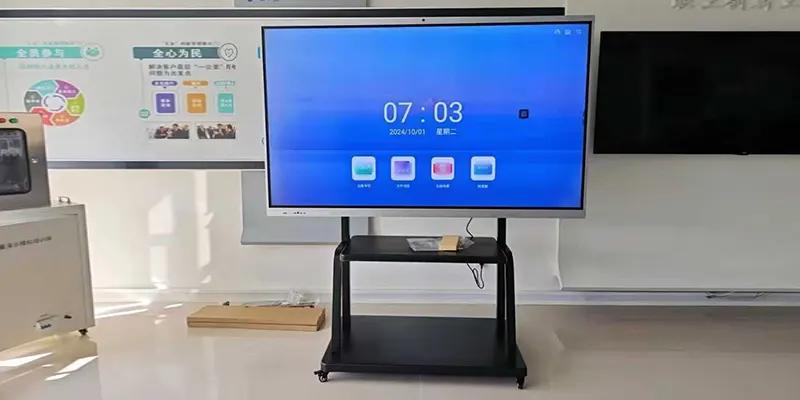
1. Touch Interaction (Advanced Multi-Touch Features)
Specific Functions
20–40-point touch for multiple users writing simultaneously.
Precision handwriting that recognizes:
Handwriting to text
Shape recognition (automatically turn rough circles into perfect shapes)
Pressure-sensitive pens for fine drawing.
Palm rejection (rest your hand while writing).
Smart erasing:
Use palm to erase large areas
Use finger to erase small strokes
Real Use Case
A product team sketches UI wireframes.
Two engineers draw system diagrams at the same time.
A sales team quickly annotates contract pages during a discussion.
2. Professional Interactive Flat Panel System
Specific Functions
Infinite canvas: scroll endlessly in any direction.
Insert:
Sticky notes
Flowchart shapes
Tables
Mind maps
Images or PDFs
Smart writing:
Auto straight lines
Auto shapes (arrows, stars, boxes)
Export formats:
PNG
PDF
QR code download
One-click email share
Real Use Case
Brainstorming session exported as a PDF and sent to all attendees.
Marketing team builds a campaign flowchart directly on the board.
Teachers insert images and annotate over them during lessons.
3. Wireless Screen Sharing (Advanced)
Specific Functions
Cast up to 4 screens simultaneously for comparison.
Any device supported:
Windows / macOS laptops
iPhone / iPad (AirPlay)
Android phones
No cable needed.
Touch reverse control:
Control the laptop directly on the panel.
Guest mode:
Visitors can cast without installing apps.
Real Use Case
A meeting compares data from 3 analysts at once.
The boss shares their iPad screen instantly with AirPlay.
A remote teacher casts from their laptop while walking around.
4. Video Conferencing (Full System)
Specific Functions
Built-in 4K camera with auto-framing.
Noise reduction and echo cancellation.
6–12 microphone arrays with 8–10 meter pickup.
One-click join for:
Zoom
Teams
Google Meet
Webex
Screen sharing + annotation during the call.
Real Use Case
Hybrid meetings where in-room attendees and remote workers collaborate.
Teams share documents while annotating live.
Remote presenters control their slides directly on the panel.
5. File Management & Office Apps
Specific Functions
Open and edit:
Word
PPT
Excel
PDF
Annotate directly on files (highlight, underline, mark-up).
Save revisions to:
Local storage
Cloud (Google Drive, OneDrive)
USB drive
Real Use Case
Managers collaboratively edit a business plan.
Training instructors annotate on PDF manuals.
Sales teams modify PowerPoint decks in real time during customer meetings.
6. Device Integration (Hub for Everything)
Specific Functions
Connect laptop via:
HDMI
USB-C (charge + data + screen in one cable)
Connect external devices:
Cameras
Document cameras
Speakers
Keyboards/mice
Dual OS (Android + Windows OPS module)
Interactive Flat Panel Real Use Case
Press a single button to switch from Android to Windows.
Teachers use a document camera to show printed textbooks.
IT teams connect external servers or control systems.
Short FAQ — Interactive Flat Panel (IFP)
1. What is an Interactive Flat Panel?
A smart touchscreen display used for meetings, teaching, and collaboration.
2. What sizes are available?
Common sizes: 55" / 65" / 75" / 86" / 98".
3. Do I need a computer?
No. It has a built-in Android system, and you can add an optional Windows OPS PC.
4. Can I write on the screen?
Yes. It supports multi-touch and handwriting with a stylus or finger.
5. Does it support wireless screen sharing?
Yes. You can cast from laptops, phones, and tablets (Windows, macOS, iOS, Android).
6. Can I use it for video conferencing?
Yes. It works with Zoom, Teams, Google Meet, and more.
7. Can I save my notes?
Yes. Notes can be saved as images or PDFs and shared easily.
8. What connections are available?
HDMI, USB, USB-C, Wi-Fi, Bluetooth, and sometimes LAN.
9. Is installation difficult?
No. It can be mounted on a wall or placed on a mobile stand.
10. Who uses Interactive Flat Panels?
Businesses, schools, training centers, government, retail, and healthcare.